
TL;DR
AI automation means using software that can complete a task answering a customer, drafting a marketing email, reconciling a ledger with little or no ongoing human input once it’s set up.
In 2026, 78% of small businesses say they use AI regularly (Intuit QuickBooks, 2026 AI Impact Report), yet real transaction data shows only 17.7% actually pay for a dedicated AI service (JPMorganChase Institute, April 2026).
That gap between casual use and committed investment is where most of the real growth opportunity and most of the risk sits.
The best approach is simple: start with one function, measure it, then expand.
Table of Contents
- What Is AI Automation for Small Businesses?
- How Does AI Automation Drive Business Growth?
- Where Are Small Businesses Using AI Automation First?
- How Does AI Automation Improve Customer Service?
- How Can AI Automation Improve Marketing and Content Creation?
- How Can AI Automation Improve Bookkeeping and Back-Office Tasks?
- Which AI Workflow Automation Platforms Should You Consider?
- Why Do AI Automation Projects Fail and How Can You Avoid It?
- Will AI Automation Replace Employees?
- How Do You Measure AI Automation ROI?
- How Do You Use AI Automation Safely?
- How Can Small Businesses Build a Long-Term AI Automation Strategy?
- Which AI Automation Tools Are Best for Small Businesses?
- How Do You Start AI Automation in a Small Business?
- How Much Does AI Automation Cost for a Small Business?
- Which Business Tasks Should You Automate First?
- How Do You Choose the Right AI Automation Software?
- Frequently Asked Questions About AI Automation
- Conclusion
Every small business owner has heard some version of “AI is going to change everything.” Most of that talk is aimed at enterprises with data science teams and seven-figure budgets. It rarely answers the question a $2M-revenue business actually has: what does this mean for me, this quarter, with the team I already have?
In 2026, 78% of small and midsize U.S. businesses report using AI regularly (Intuit QuickBooks, 2026 AI Impact Report). That’s the headline every vendor quotes.
The number that tells a more useful story: JPMorganChase Institute‘s analysis of actual business spending found only 17.7% of small businesses had paid for a dedicated AI service as of December 2025 (JPMorganChase Institute, Understanding AI Use by Small Businesses, April 2026).
Most “AI use” today is still someone typing into a free chatbot between other tasks not AI automation built into how the business runs.
What Is AI Automation for Small Businesses?
This guide walks through what AI automation actually is, where small businesses are applying it first, what it costs when it goes wrong, and how to move from casual use to a setup that actually moves revenue.
It draws on primary research from Intuit, the U.S. Chamber of Commerce, Salesforce, JPMorganChase Institute, Harvard Business School, and RAND Corporation not vendor marketing copy.
AI automation is software that uses artificial intelligence to complete a business task with minimal ongoing human input once configured as opposed to traditional automation, which only follows fixed, pre-programmed rules.
The distinction matters: a traditional autoresponder sends the same email every time; an AI-automated one reads the incoming message and writes a contextually relevant reply.
Within a small business, AI automation typically shows up in five categories:
- Customer-facing automation — chatbots, AI phone agents, automated email replies
- Marketing automation — AI-drafted social posts, email campaigns, ad copy, and audience targeting
- Back-office automation — bookkeeping categorization, invoice matching, payroll checks
- Workflow orchestration — tools like Zapier, Make, and n8n that connect other software together
- Decision support — dashboards and forecasting tools that flag anomalies or recommend actions
A common misconception: AI automation does not require replacing your existing software.
Most small businesses layer it on top of tools they already use a scheduling app, a CRM, an accounting platform rather than ripping and replacing anything.
It has also moved fast: as recently as 2021, generative AI made up close to none of small-business AI spending. By 2025, it accounted for 12% of it (JPMorganChase Institute, April 2026).
For businesses that want to connect AI automation with their broader digital strategy, this can also work alongside SEO strategy for small businesses, content marketing, website development, and other digital marketing activities.

How Does AI Automation Drive Business Growth?
The clearest business case comes from Salesforce’s SMB research: 91% of small and midsize businesses using AI report a revenue increase, and 90% report improved operational efficiency (Salesforce, SMBs with AI Adoption See Stronger Revenue Growth, 2025).
In that same survey, 34% of SMBs said they’d fully implemented AI, and 71% planned to increase AI investment over the following year a clear signal that early results are pulling more budget in behind them.
Self-Reported AI Use vs. Actual Paid Adoption
Percent of small businesses, by measurement method
“Use AI regularly” (self-reported, QuickBooks 2026)
![]() 77%
77%
“Use generative AI” (self-reported, US Chamber 2025)
![]() 58%
58%
Actually paid for an AI service (JPMorganChase, Dec 2025)
17.7%
For a small business, the practical value of AI automation comes from turning those potential efficiency gains into specific, measurable improvements fewer repetitive tasks, faster customer responses, lower administrative workload, and more time for work that directly contributes to growth.
The goal isn’t simply to add another AI tool to your technology stack. The goal is to improve an existing business process and measure whether the improvement creates meaningful value.
Where Are Small Businesses Using AI Automation First?
Self-Reported AI Use vs. Actual Paid Adoption
Percent of small businesses, by measurement method
- “Use AI regularly” — self-reported, QuickBooks 2026: 78%
- “Use generative AI” — self-reported, U.S. Chamber 2025: 58%
- Actually paid for an AI service — JPMorganChase, December 2025: 17.7%
Sources: Intuit QuickBooks (2026) US. Chamber of Commerce (August 2025) JPMorganChase Institute (April 2026)
Casual use is nearly universal. Paid, committed adoption is still under one in five.
AI Marketing Tool Adoption Trajectory

Already using — 54%
Plan to adopt in 12mo — 27%
No current plans — 19%
Why AI Adoption Statistics Can Be Misleading
Almost every “AI adoption” statistic circulating in small-business media is a self-reported survey number.
JPMorganChase Institute’s figure is one of the few AI adoption statistics based on actual payment transaction data, and it tells a very different story: a 60-point gap between businesses that say they “use AI” and businesses that have actually committed a line item to it.
Reading the survey stats without this context risks badly overestimating how far along the average competitor already is.
Salesforce’s 2025 survey of 3,350 SMB leaders found 91% of AI-using small businesses reported a revenue increase and 90% reported improved operational efficiency.
Combined with JPMorganChase Institute’s finding that only 17.7% of small businesses have actually paid for an AI service, the data suggests real growth is available but it’s concentrated among the minority willing to invest beyond free tools.
What this means for a small business: the opportunity isn’t simply to experiment with AI. It is to identify a useful workflow, measure its results, and build a repeatable process around what works.
How Does AI Automation Improve Customer Service?
AI is projected to handle 50% of customer service cases by 2027, up from 30% today, and companies expect AI agents to cut both service costs and resolution times by roughly 20% on average (Salesforce, State of Service Report, 7th edition, 2025).
For a small business, that typically starts small an AI chat widget answering “what are your hours” and “do you ship to Canada” questions overnight, freeing staff for the calls that actually need a human.
The most common mistake here is over-scoping the first deployment trying to hand a chatbot every possible customer question on day one, instead of starting with the 10–15 questions that make up most of the ticket volume.
Start narrow, measure resolution rate honestly, and expand scope only once the narrow version is working well.

A practical AI customer-service workflow might look like this:
Customer inquiry → AI reads the message → AI identifies the request → AI drafts or retrieves an answer → human review when needed → response sent → customer record updated
This type of AI-powered workflow keeps each step visible while reducing repetitive work.
How Can AI Automation Improve Marketing and Content Creation?
Marketing remains the single most AI-automated function in small business today, with 54% adoption and a clear path toward 80%+ by the end of 2026 (Constant Contact, Q1 2026 Small Business Now report, February 2026).
In practice, that means AI drafting first passes of social posts, email subject lines, and ad copy not replacing a marketer’s judgment on strategy or brand voice, but compressing the time spent on a blank page.
The businesses getting the most value tend to treat AI-generated marketing copy as a draft, not a final product editing for brand voice and accuracy before anything goes out.
Skipping that review step is the fastest way to publish something factually wrong or off-brand at scale.
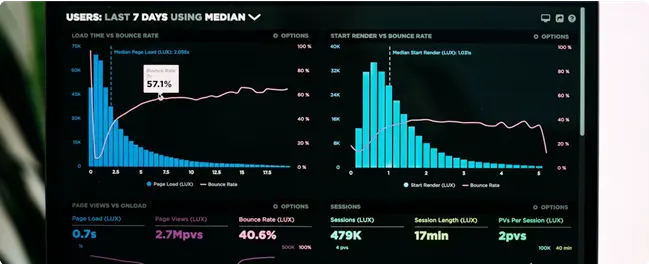
AI automation can also support broader digital marketing strategy by helping teams organize content workflows, summarize campaign data, classify leads, and prepare recurring reports.
The key is to automate the repetitive production steps while keeping human oversight over positioning, messaging, accuracy, and final decisions.
How Can AI Automation Improve Bookkeeping and Back-Office Tasks?
Back-office work is where AI automation’s compounding time savings show up most, even though it gets far less marketing attention than chatbots.
Intuit’s research places administrative and bookkeeping tasks among the top categories small businesses automate, tracking closely behind marketing (Intuit QuickBooks, 2026 AI Impact Report).
Among AI-using small businesses overall, 78% report improved productivity and 43% report an actual revenue increase attributable to AI use.
Typical back-office automation includes categorizing transactions, matching invoices to purchase orders, flagging duplicate payments, and pre-filling routine payroll checks.
None of these eliminate the need for a bookkeeper or accountant they eliminate the repetitive first pass that used to consume most of that person’s week.
For sensitive financial workflows, however, human review remains important. Automation should reduce repetitive work without removing the controls that protect financial accuracy.
Which AI Workflow Automation Platforms Should You Consider?
Workflow automation platforms are the connective tissue that let AI tools talk to the rest of your software stack.
n8n, one of the fastest-growing platforms in this category, reported more than 200,000 active users worldwide and over 3,000 enterprise customers as of its March 2025 funding announcement (n8n, Series B announcement, March 2025) evidence that workflow automation has moved well past early-adopter status.
These platforms typically work by connecting “trigger” events a new form submission, a new invoice to automated actions send a message, update a spreadsheet, create a task often with an AI step inserted in the middle to draft, summarize, or classify content along the way.
For most small businesses, this is a lower-risk starting point than a full AI agent because each step in the chain stays visible and editable.

The right platform depends on your team’s technical capacity, existing software, budget, security requirements, and the complexity of the workflow you want to automate.
Why Do AI Automation Projects Fail — and How Can You Avoid It?
More than 80% of AI projects fail roughly twice the failure rate of comparable non-AI IT projects according to RAND Corporation’s analysis based on interviews with 65 experienced AI and machine learning practitioners (RAND Corporation, The Root Causes of Failure for Artificial Intelligence Projects).
Separately, Gartner predicts more than 40% of agentic AI projects will be canceled by the end of 2027 due to escalating costs, unclear business value, or inadequate risk controls (Gartner, press release, June 25, 2025).
AI Project Risk, Rank
AI project failure rate (RAND) 80%+
Agentic AI projects canceled by 2027 (Gartner) 40%+
Comparable non-AI IT project failure rate (implied) ~40%
RAND’s interviews point to three recurring root causes: misalignment between leadership and the team on what “success” even means, poor data quality or governance going in, and a gap between an impressive demo and a system that actually holds up in production.
None of these are unique to large enterprises. If anything, they’re easier to avoid at small-business scale, where fewer stakeholders need to agree on what success looks like before you start.
The simplest way to reduce the risk is to define the business problem before selecting the technology.
Instead of asking:
“What can AI automate?”
Ask:
“Which repetitive business process is costing us the most time or money?”
That question creates a much clearer starting point for AI implementation.
Will AI Automation Replace Employees? What the Data Actually Shows
The honest answer is: it’s shifting work, not eliminating it wholesale.
A Harvard Business School working paper analyzing near universal U.S. job postings from 2019 through March 2025 found a 17% decrease in job postings per quarter per firm in automation heavy occupations after generative AI’s introduction longside a 22% increase in postings for augmentation-prone occupations (Harvard Business Review, covering HBS Working Paper 25-039, March 2026).
Augmentation vs. Displacement in Job Posting
Automation-heavy occupations -17%
Augmentation-prone occupations +22%
For a small business owner, the practical takeaway is about role design, not headcount cuts: the data favors restructuring a role around AI assisted work over eliminating the role outright.
An employee whose job shifts from typing routine replies to reviewing and refining AI-drafted ones is more aligned with where the job-posting data is actually moving.
The strongest approach is often human + AI rather than human vs. AI.
AI automation can handle repetitive processes while employees focus on judgment, relationships, creativity, problem solving, and higher value work.
How Do You Measure AI Automation ROI?
The most useful way to evaluate AI automation is to measure the result before and after implementation.
Track four numbers: hours saved, cost reduction, error rate, and revenue impact.
Before launching an automation, establish a baseline for the task. After 30 days, compare the results against that baseline.
A useful formula is:
AI Automation ROI = (Financial Benefit − Automation Cost) ÷ Automation Cost × 100
For example, if an automation produces $1,000 in measurable financial benefit and costs $250, the calculation becomes:
($1,000 − $250) ÷ $250 × 100 = 300% ROI
This turns “it feels faster” into a measurable business result and gives you a clearer basis for deciding whether an automation should be expanded.
The exact financial benefit will differ by business. For some companies, the primary benefit will be labor hours saved. For others, it may be faster lead response, fewer errors, increased conversions, or improved customer retention.
How Do You Use AI Automation Safely?
Before scaling an AI automation beyond one function, consider what data the tool can access and where that information is stored.
Customer information, financial records, passwords, and other sensitive business data should not be given to an AI system without understanding the tool’s data policies, access controls, and security practices.
For customer-facing or high-impact workflows, keep a human review step where errors could create financial, legal, or reputational consequences.
Before expanding the workflow, document who owns it, what data it can access, and which performance metric you will review each month.
For small businesses, a basic AI governance process does not need to be complicated. Start with clear ownership, limited permissions, documented data rules, and regular performance reviews.
How Can Small Businesses Build a Long-Term AI Automation Strategy?
If you’ve already deployed one AI tool successfully, the next question isn’t “what else can AI do” it’s “which of these tools deserves a real budget line instead of a free-tier trial.”
The gap between self-reported AI use and paid AI adoption means most of your competitors are still in the trial phase, which is exactly where a committed, well-governed rollout creates a real edge (Intuit QuickBooks,JPMorganChase Institute).
In practice, that means picking the one function where you’ve already seen a measurable result-faster response times, fewer bookkeeping errors, more qualified leads-and formalizing it: a named tool, an assigned owner, a monthly cost, and a metric you check monthly.
Businesses with fewer resources to evaluate AI tool risk are exactly the businesses JPMorganChase Institute found citing “tool quality” and “legal/compliance uncertainty” as their top hesitations-a documented process addresses both.
At HQ Growth Lab, this type of measured approach is also useful when AI automation is being introduced alongside broader SEO, web development, and digital marketing strategies. The technology should support the business objective rather than become the objective itself.
Which AI Automation Tools Are Best for Small Businesses?
Start with the category that matches your first automation project, not the longest list of tools.
Customer Service AI
AI chat widgets best for answering high-volume, repetitive questions on your website. Typically freemium, with paid tiers starting around $20–100/month.
AI phone/voice agents best for after-hours call handling and appointment scheduling. Usually usage-based pricing.
Marketing AI
AI email/content drafting tools best for compressing first-draft time on newsletters and social posts. Often bundled into existing email marketing platforms.
AI ad-copy and targeting tools best for businesses already running paid ads who want faster creative iteration.
Workflow Automation
Zapier best for non-technical teams wanting the largest app-integration library. Freemium, paid tiers scale with task volume.
Make best for slightly more complex, visual workflow logic, Freemium.
n8n best for businesses with some technical capacity wanting more control and self-hosting options. Free self-hosted tier available.
Bookkeeping & Admin AI
AI-assisted accounting platforms best for automating transaction categorization and invoice matching. Often included in existing accounting software subscriptions.
The best AI automation software is not necessarily the platform with the most features.
It is the platform that solves your specific workflow reliably, integrates with your existing tools, fits your budget, and gives your team enough control to manage it.
How Do You Start AI Automation in a Small Business?
Pick the single function costing your team the most repetitive hours this month-that’s step one, and it takes about five minutes to identify honestly.
1. Audit One Week of Repetitive Tasks
Have your team flag every task that felt like “the same thing again.” This usually surfaces the highest-value automation candidate within a single week.
Look for work that is:
- repetitive
- time-consuming
- predictable
- high-volume
- measurable
- relatively low-risk
2. Trial One Tool Against That Specific Task for 30 Days
Measure a real before/after number-response time, hours saved, error rate not just “it feels faster.”
The goal of a pilot is not to prove that AI is impressive. The goal is to determine whether the workflow produces measurable business value.
3. Formalize What Works Before Adding a Second Tool
Assign an owner, set a monthly cost, and check the metric monthly. Resist the urge to automate three functions at once.
The most common hesitation is fear of getting it wrong in front of customers. Starting with an internal or low-visibility task first bookkeeping categorization rather than customer facing chat removes that risk while you build confidence in how the tool actually performs.
How Much Does AI Automation Cost for a Small Business?
The cost of AI automation varies significantly depending on the tool, usage volume, number of workflows, integrations, and level of customization.
Entry-level tools such as chat widgets, email drafting, and basic workflow automation typically start free or under $50/month.
A simple way to think about the cost structure is:
| Automation level | Typical cost range | Best for |
|---|---|---|
| Basic/free | $0–$50/month | Testing one workflow |
| Small-business | $50–$300/month | Multiple recurring workflows |
| Advanced | $300–$1,000+/month | More complex automation |
| Custom | Project-based | Specialized workflows and integrations |
These are practical planning ranges rather than fixed market prices. Actual costs vary by provider, usage, API consumption, seats, integrations, and implementation requirements.
The important question is not simply “How much does AI automation cost?”
It is:
“How much measurable value can this automation create compared with what it costs?”
A $50/month automation that saves several hours every week may produce more value than a $500/month system that nobody uses consistently.
Which Business Tasks Should You Automate First?
The best candidates for AI automation are usually repetitive processes that already consume measurable time.
Start by looking for tasks that happen frequently and follow a reasonably consistent workflow.
Examples include:
- responding to repetitive customer questions
- sorting and categorizing leads
- drafting routine emails
- summarizing meetings
- organizing customer information
- categorizing transactions
- matching invoices
- preparing recurring reports
- moving information between software platforms
- creating first drafts of marketing content
Avoid starting with a workflow where a single mistake could immediately create major financial, legal, or reputational consequences.
A low-risk internal workflow gives your team an opportunity to understand the technology before expanding it into customer-facing or high-impact processes.
How Do You Choose the Right AI Automation Software?
Choosing an AI automation platform should start with your workflow, not the vendor’s feature list.
Consider these factors:
| Factor | Why it matters |
|---|---|
| Integrations | Determines whether the tool works with your existing software |
| Pricing | Helps you evaluate long-term ROI |
| Security | Protects customer and business information |
| Ease of use | Determines how easily your team can manage the workflow |
| Scalability | Reduces the risk of replacing the platform later |
| Human controls | Allows review when automation makes mistakes |
| Support | Helps resolve technical or workflow problems |
For non-technical teams, ease of use may matter more than advanced customization. For businesses with technical capacity, flexibility and self-hosting may become more important.
The right AI automation software should make an existing process simpler, faster, and more measurable.
Frequently Asked Questions About AI Automation
What’s the Difference Between AI Automation and Regular Automation?
Regular automation follows fixed rules and produces the same output every time; AI automation interprets context and generates a variable response.A standard autoresponder always sends the same email, while an AI-powered one reads the message and drafts a relevant reply, which is why AI tools now handle a growing share of variable, judgment-based tasks.
How Do I Start Automating My Small Business With AI?
Start with the single repetitive task consuming the most staff hours, trial one tool against it for 30 days, and measure a specific before/after number.Businesses that jump straight to automating multiple functions at once are the ones most likely to land in RAND’s documented 80%+ AI project failure rate.
Is AI Automation Better Than Hiring More Staff?
It’s not an either/or-the data favors augmenting existing roles over replacing them outright.
Harvard Business School’s analysis found augmentation-prone job postings grew 22% while automation-heavy postings fell 17% in the same period, suggesting the strongest outcomes come from pairing AI with people, not swapping one for the other.
How Much Does AI Automation Cost for a Small Business?
Entry-level tools such as chat widgets, email drafting, and basic workflow automation typically start free or under $50/month.Cost scales with usage volume and how many functions you automate, not a fixed enterprise fee.
Is AI Automation Worth It If I Only Have a Few Employees?
Yes, and arguably more so-with fewer people, each hour reclaimed from repetitive work has an outsized impact.The caveat JPMorganChase Institute found smaller firms report having fewer resources to evaluate AI tool risk, so a documented pilot process matters even more at small scale.
Will AI Automation Keep Changing This Fast, or Is This a Temporary Spike?
The trend line points to continued growth, not a plateau: generative AI’s share of small-business AI spend grew from near-zero in 2021 to 12% in 2025 (JPMorganChase Institute, 2026), and 71% of AI-using SMBs already plan to increase investment further (Salesforce, 2025).
Conclusion: Track the Gap, Then Close It
The most important number in this entire guide isn’t 78% it’s the gap between self-reported AI use and the 17.7% of small businesses that have actually committed budget to AI.
Most competitors are still experimenting with free tools; a small business that picks one function, measures it honestly, and formalizes what works is positioned well ahead of where the market average actually sits, whatever the adoption headlines suggest.
AI automation isn’t a switch you flip it’s a handful of specific, measurable decisions, made one function at a time.
The best place to start is usually simple: identify one repetitive process, test one automation, measure the result, and expand only when the numbers justify it.
About the Author
Jawaria — SEO & Digital Marketing Professional at HQ Growth Lab
Jawaria focuses on SEO, AI automation, content strategy, web development, and digital marketing for small and mid-sized businesses.
Her work focuses on helping businesses improve online visibility, streamline digital workflows, and build sustainable growth through practical digital strategies.
HQ Growth Lab — Build. Rank. Scale.